






Nurture and retain customers with Wacap’s WhatsApp Drip Marketing Software
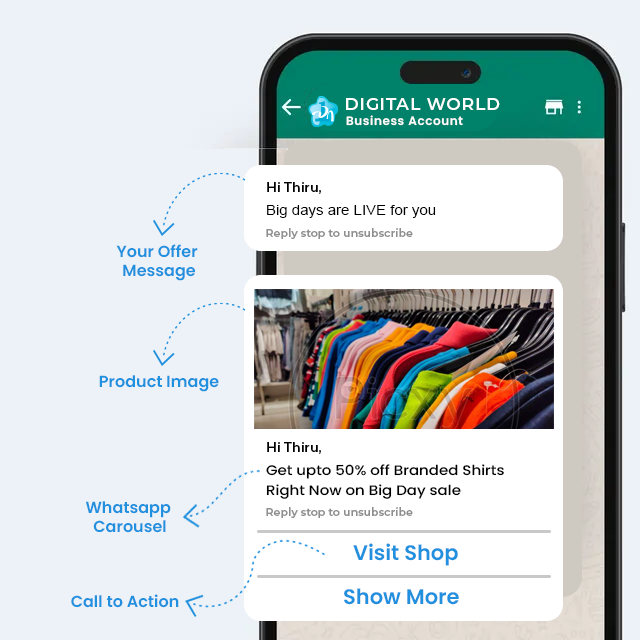
Customizable delivery preferences
-
 Message-scheduling at regular intervals
-
Personalization based on the user journey
-
Different formats [image, video, links] for better engagement
-
Message-scheduling at regular intervals
-
Personalization based on the user journey
-
Different formats [image, video, links] for better engagement
Precise segmentation and targeting
-
User segmentation by behavior, demographics, or past actions
-
Message delivery to the right person at the right time
-
Smarter campaigns that feel personal and timely
-
User segmentation by behavior, demographics, or past actions
-
Message delivery to the right person at the right time
-
Smarter campaigns that feel personal and timely
Ready-to-use templates
-
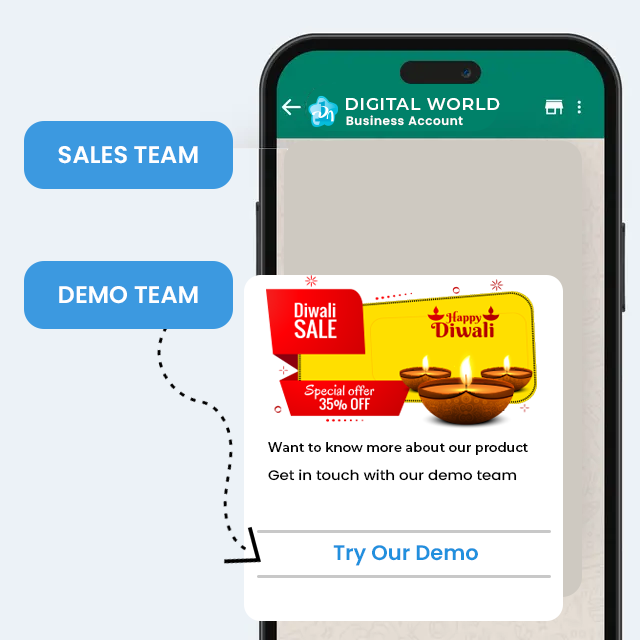
Wide range of ready-to-use templates
-
Scenario-based customization of templates
-
Easy to launch campaigns without starting from scratch
-
Wide range of ready-to-use templates
-
Scenario-based customization of templates
-
Easy to launch campaigns without starting from scratch
Tech stack integration
-
Seamless integrations with multiple platforms
-
Data sync across platforms for a unified marketing flow
-
Automation of drip campaigns without switching between systems
-
Seamless integrations with multiple platforms
-
Data sync across platforms for a unified marketing flow
-
Automation of drip campaigns without switching between systems

Benefits of using WhatsApp Drip Marketing Software

Enhanced Engagement Rates
With WhatsApp having a higher open rate than any other platform, your messages are more likely to be seen and acted upon.

Improved Customer Journey
With timely messages structured carefully to meet the customers’ needs at different stages in their user journey, conversions will be easy!

Data-Driven Decision Making
Carefully analyse how each campaign is performing and make informed decisions to ensure that your marketing campaign is a success!
How to get started?

Access broadcast feature
Log in to your wacap account, navigate to the Broadcast section in the dashboard.
Select contacts
Create a new broadcast list by selecting contacts.
Send or schedule
Schedule or send the broadcast immediately.