






Convert engaging prospects to paying customers with WhatsApp Payment Automation solutions
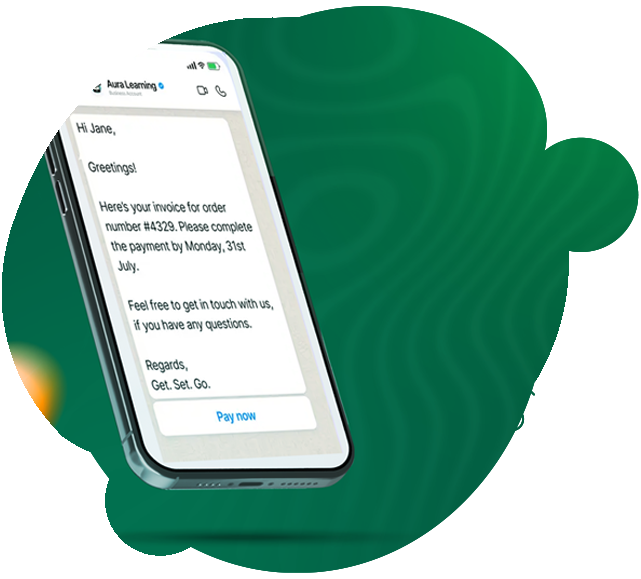
Close deals instantly with branded, frictionless payment links
Convert prospects to paying customers without leaving WhatsApp
-
 Boost trust with branded links tailored to your business.
-
Create payment links instantly for bookings, bots, or campaigns
-
Turn your WhatsApp catalog into a storefront with embedded “Pay now” buttons.
Convert prospects to paying customers without leaving WhatsApp
-
Boost trust with branded links tailored to your business.
-
Create payment links instantly for bookings, bots, or campaigns
-
Turn your WhatsApp catalog into a storefront with embedded “Pay now” buttons.
Automated payment workflows
Eliminate manual follow-ups while keeping interactions personal and timely.
-
Trigger reminders, invoices, refunds, and status updates automatically.
-
Design workflows with drag-and-drop ease (e.g., “Send invoice after confirmation”).
-
Keep customers and teams in sync with automated, real-time payment confirmations.
Eliminate manual follow-ups while keeping interactions personal and timely.
-
Trigger reminders, invoices, refunds, and status updates automatically.
-
Design workflows with drag-and-drop ease (e.g., “Send invoice after confirmation”).
-
Keep customers and teams in sync with automated, real-time payment confirmations.

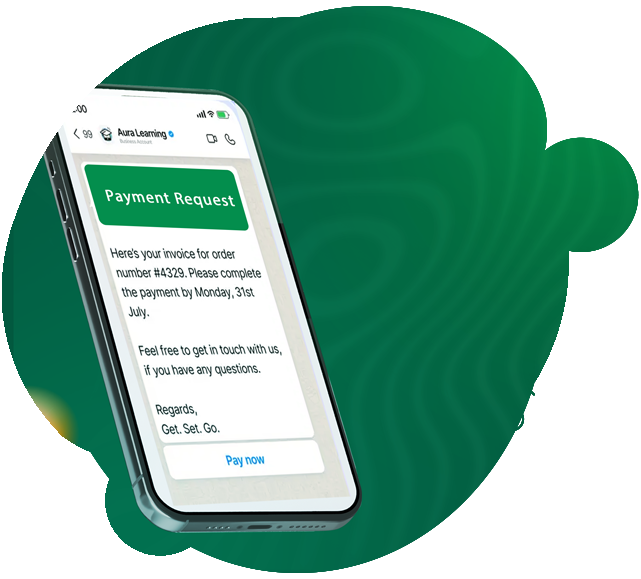
Speed up cash flow with AI-powered nudges
Turn overdue payments into on-time deposits without sounding pushy.
-
Send polished invoices directly in chat post-purchase.
-
Use AI to craft friendly, localized nudges in 100+ languages.
-
Design collection workflows with rich media and formulas (no coding!).
Turn overdue payments into on-time deposits without sounding pushy.
-
Send polished invoices directly in chat post-purchase.
-
Use AI to craft friendly, localized nudges in 100+ languages.
-
Design collection workflows with rich media and formulas (no coding!).
Connect seamlessly with tools your business trusts
Work with payment gateways, UPI, and custom gateways — no tech headaches.
-
Tap into India’s favorite payment method (UPI) with one-click integration.
-
Share secure, trusted payment links instantly.
-
Track payments, refunds, and workflows from a single screen.
Work with payment gateways, UPI, and custom gateways — no tech headaches.
-
Tap into India’s favorite payment method (UPI) with one-click integration.
-
Share secure, trusted payment links instantly.
-
Track payments, refunds, and workflows from a single screen.

Benefits of using WhatsApp Payment Automation solutions

Security with UPI PIN protection
Every transaction requires a UPI PIN, and WhatsApp never stores your card or payment details. Funds move directly between bank accounts via trusted partners like BHIM UPI, ensuring compliance and peace of mind.

One-time bank account setup
Link your bank account once to send/receive money seamlessly via WhatsApp. No repeated logins or app-switching — just fast, UPI-powered transfers for you and your customers.

Unified payment tracking in chat
View payment confirmations, transaction histories, and refund statuses directly in the chat thread. Keep financial records organized without jumping between apps or dashboards.

Frictionless in-chat purchases
Customers pay instantly within WhatsApp—no redirects to third-party apps. Share payment links mid-conversation and close deals in seconds, and boosting conversion rates.

24/7 payment support and automation
Resolve billing queries, send reminders, and process refunds without manual effort. AI-driven workflows handle repetitive tasks, freeing your team for high-value interactions.

Global reach with localized trust
Tap into WhatsApp’s 3B+ users worldwide while dominating regional markets (like India via UPI). Offer secure, localized payment experiences that build credibility and loyalty.
How to get started with WhatsApp Payment Automation solutions

Connect your WhatsApp Business account
Sign up for a Wacap account and connect your WhatsApp Business API number. Head to Users, Teams, and Roles to start setting up your team with access-control.
Customize your shared inbox
Set up assignment rules, build bot workflows, add product catalogs, create canned replies, and configure notifications to match your team's needs.
Keep close tabs on agent performance
Start handling live customer conversations on Wacap’s WhatsApp Team Inbox and use our analytics to continuously improve your team's performance.